
This is mostly a note to myself. Once in a long while I need to add a new computer as Salt minion. And I always forget how to verify the fingerprints of the key. I know the probability of somebody intercepting the handshake is low, but it is possible nevertheless.
Long time ago, I started writing a blog. Nowadays it is kinda old fashion. People just watch TicTok at best. Nobody reads anymore.
I also write less and less. Kinda because it is hard to find the time and hard to finish. I have few articles that I haven’t finished in my old Wordpress instance just lying around. I just can’t get around to finish them. Part of the problem is that I don’t have a time in front of of computer. When I’m in front of computer, I have a ton of work that I need to do and finishing article and publishing it is quite down the list.
Smart watches are obviously the cool thing right now. I took a look at few of them and I like some of the features, but so far I haven’t found the one that would be a perfect fit for me. What do I miss? I’ll write about that bellow with few examples of the watches that I kinda like for one reason or other. And if I missed the ultimate one, please let me know!
Let’s start this with a little background. I work at CZ.NIC on Turris project. So I’m definitely biased. But this post is my own, written in my free time and express just my own opinions and it explicitly doesn’t represent opinions of the company I work for unless by chance.
So now you know the background, so let’s take a look at what Turris MOX actually is. It is marketed as modular open source router. Well Turris project is about secure routers, so it makes sense. But what I like about it is that it is actually quite nice and modular single board computer. If you are wondering what single board computers are, check Wikipedia or think Raspberry Pi which is the most well known example and probably one of the worst options you have.
 I’m currently working at CZ.NIC, Czech domain registry on project Turris which are awesome open source WiFI (or WiFi free) routers. For those we developed quite some interesting features. One of them is honeypot that you don’t run on your own hardware (what if somebody managed to escape) but you basically do man in the middle on the attacker and forward him to the honeypot we are running behind many firewalls. We had this option for quite some time on our routers. But because plenty of people around the world found the idea really interesting and wanted to join, this part of our project got separated, has its own team of developers and maintainers and you can now join with your own server as well! And to make it super easy, packages are available in Tumbleweed already and also in security repo where they are being build for Leap as well.
 As you might have noticed, I’m running for re-election. I served my first term as openSUSE Board member, learned a lot and I think I could represent you well for another two years. Although this years elections will be tough as we have in the end quite some strong candidates. So honestly, I have no worries regarding result of the elections as it can’t end badly. Compare it to real world politics and elections where the results can be either bad or even worse… But even though our elections are quite friendly, it is still competition. So what would I do if I get elected? Why should you vote for me? I’ll try to answer it in this post.
About two weeks ago I was on the annual openSUSE Board face to face meeting. It was great and you can read reports of what was going on in there on openSUSE project mailing list. In this post I would like to focus on my other agenda I had while coming to Nuremberg. Nuremberg is among other things SUSE HQ and therefore there is a high concentration of skilled engineers and I wanted to take an advantage of that…
Some people still use paper calendars. Stuff where you have a picture of the month and all days in the month listed. I have some relatives that do use those. On loosely related topic, I like to travel and I like to take some pictures in foreign lands. So combining both is an obvious idea – to create a calendar where pictures of the month are taken by me. I searched for some ready to use solution but haven’t found anything. So I decided to create my own simple tool. And this post is about creating that tool.
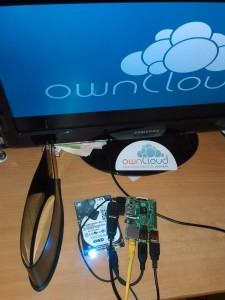
 I wrote few times about my PiDrive already, this is continuation of the work in progress and I would like to share what I did since the last time.
Getting accessible
We need to address two problems regarding the accessibility of PiDrive. First one is actually not that you need to access your PiDrive from Internet, but something much simpler. Once you connect your PiDrive to your local network, you need to find out it’s local address first so you can set it up. There are various options, for example including avahi or netbios and configuring them to publish some recognizable name. I’m sure everybody has those in mind and I do as well. But I wanted to start first with something that might have escaped the others and what I consider quite simple but at the same time quite effective approach. On boot, I display ownCloud logo on HDMI attached display if there is one and bellow it address of the device. My PiDrive came with 90 degrees angle HDMI converter so it looked like it is expected that you will connect display to it. And reading what is written on HDMI is much simpler and reliable than anything you do on computer.
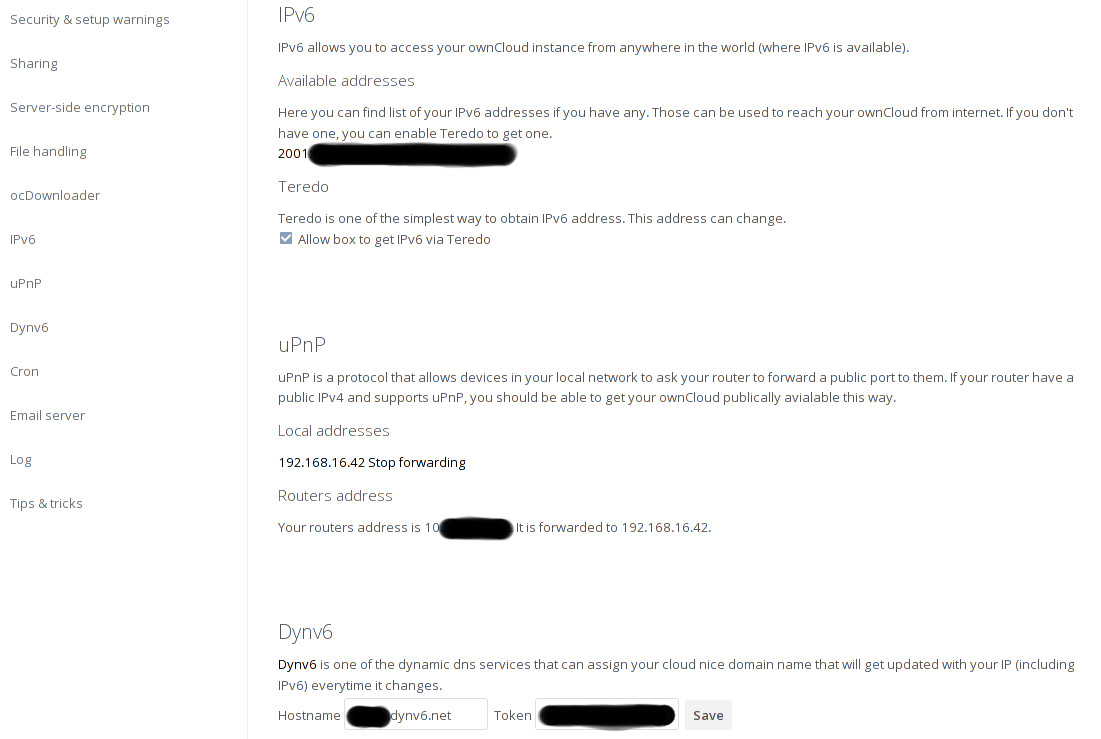
 Some time ago I started playing with PiDrive project. I implemented an application that I think will be useful to people using it in the end – some simple IPv6 enabler/browser and DynDNS client. But I kinda cheated and implemented it on the ARM board I already had at home. Over the last week I didn’t had much free time, but I still continued on the project and I got my Pi booting my custom image. How will PiDrive boot was subject to lengthy discussions on mailing list, so I wanted to provide a proof of concept of how do I think it can be done. As it is long post, TLDR version at the end 😉